

your crew runs on jobber and a group text.
jobber or buildertrend handles the quotes and the invoices. the jobsite still lives in texts, a whiteboard and somebody’s memory. we design and build the piece that’s missing, around the tools you already use: crew board, daily log, punch list, gear calendar. ready in about a week, on your own accounts, yours to keep.
anyone can generate screens now.
the hard part is knowing which screens a crew will actually open, with muddy hands at 6:45. that’s what you’re paying for.
we listen first
a call with you (and your foreman, if you like) to map how a job actually runs, and where it falls apart. the tool gets designed around that, not around a template.
we design every screen in figma
every screen, on desktop and phone, built from one set of components and colours. your team comments right on the design, before anything gets built.
you click through it before we build
a clickable version your team can tap around on their own phones. we change what feels off while it’s still cheap to change.
then we build it, exactly as approved
what you clicked through is what you get. then we test it with your real jobs and your real crew before handover.
sound familiar?
tomorrow’s crew is a group text
and the 9pm change never reaches the guy whose phone was in the truck.
the trailer is wherever it was last
until two jobs need it on the same morning.
the client wants to know how it’s going
so your evening goes to sending photos one at a time.
change orders happen in the driveway
and nobody wrote down what was agreed, or what it costs.
what we build
crew board
who’s on which job tomorrow, with which truck. settled the night before, checked on a phone at 6:45.
daily log with photos
what got done, the weather, and what’s in the way, with photos straight from the phone. the client gets a tidy summary.
homeowner punch list
what’s left, ticked off as you go. change orders get approved with a tap, with the price on them.
equipment + truck calendar
who has the skid steer, the trailer and the lift, and when they’re back. nothing double-booked.
we’ve built this kind of thing before.
the service is new. the work isn’t. back offices, field screens and dashboards for teams that work with their hands, designed and shipped.
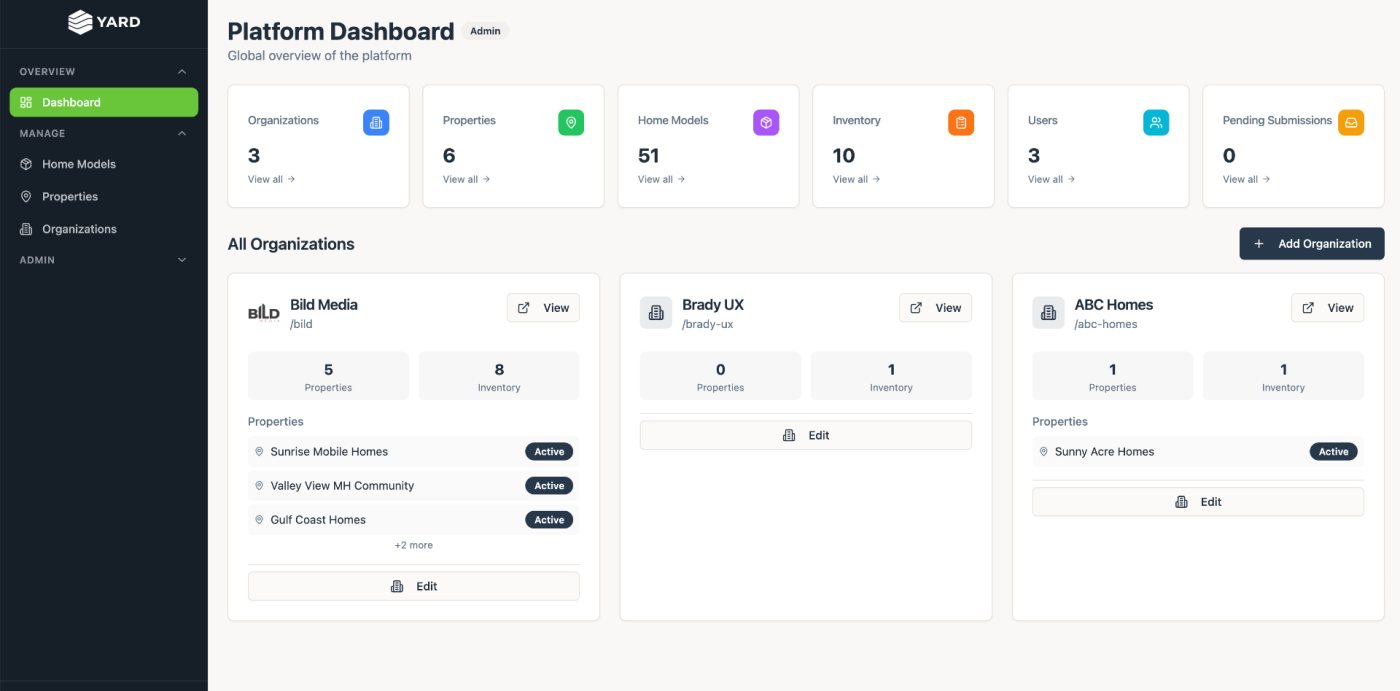
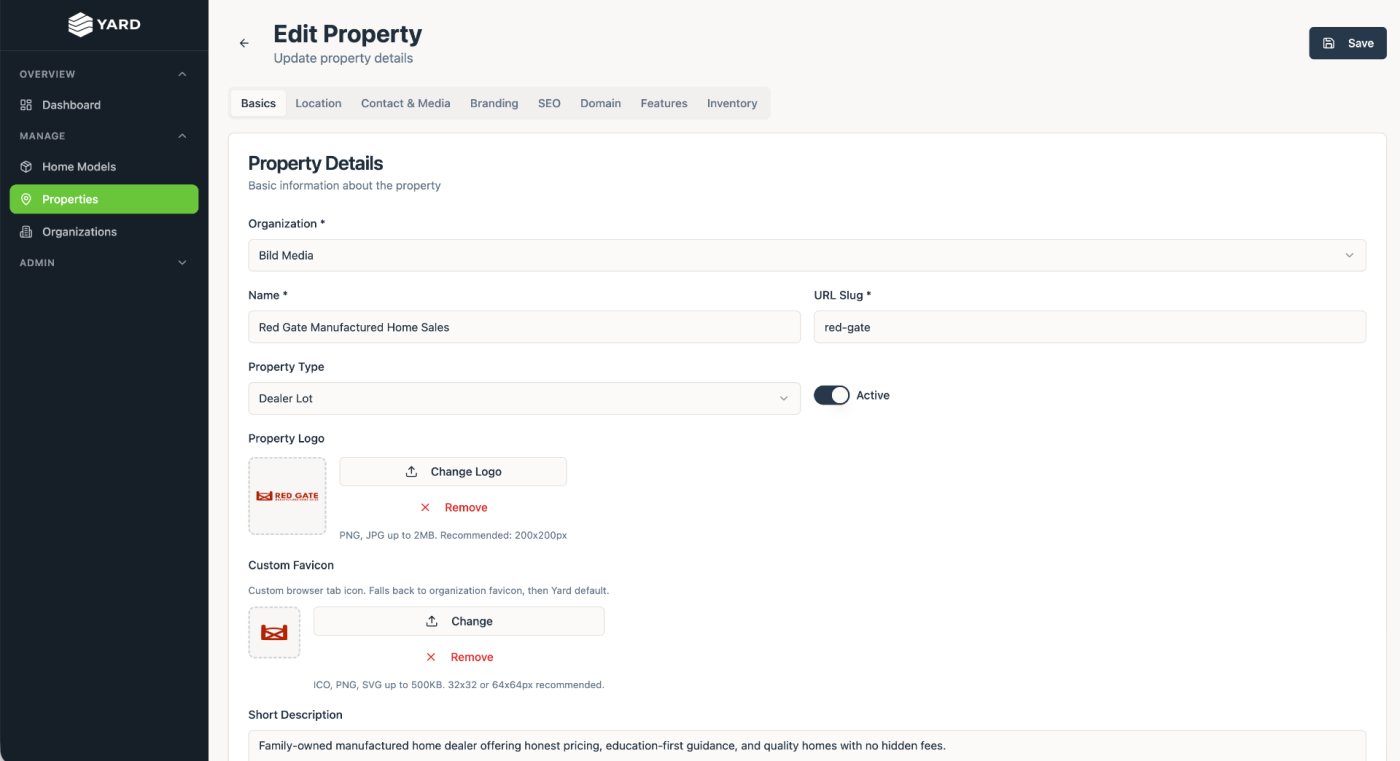
yard, the back office behind the home sites
after designing dozens of manufactured-home sites, we built the backend once: every dealer and community gets a branded site with live inventory, home models and leads, run by their own team. live at yrd.homes.
see the case study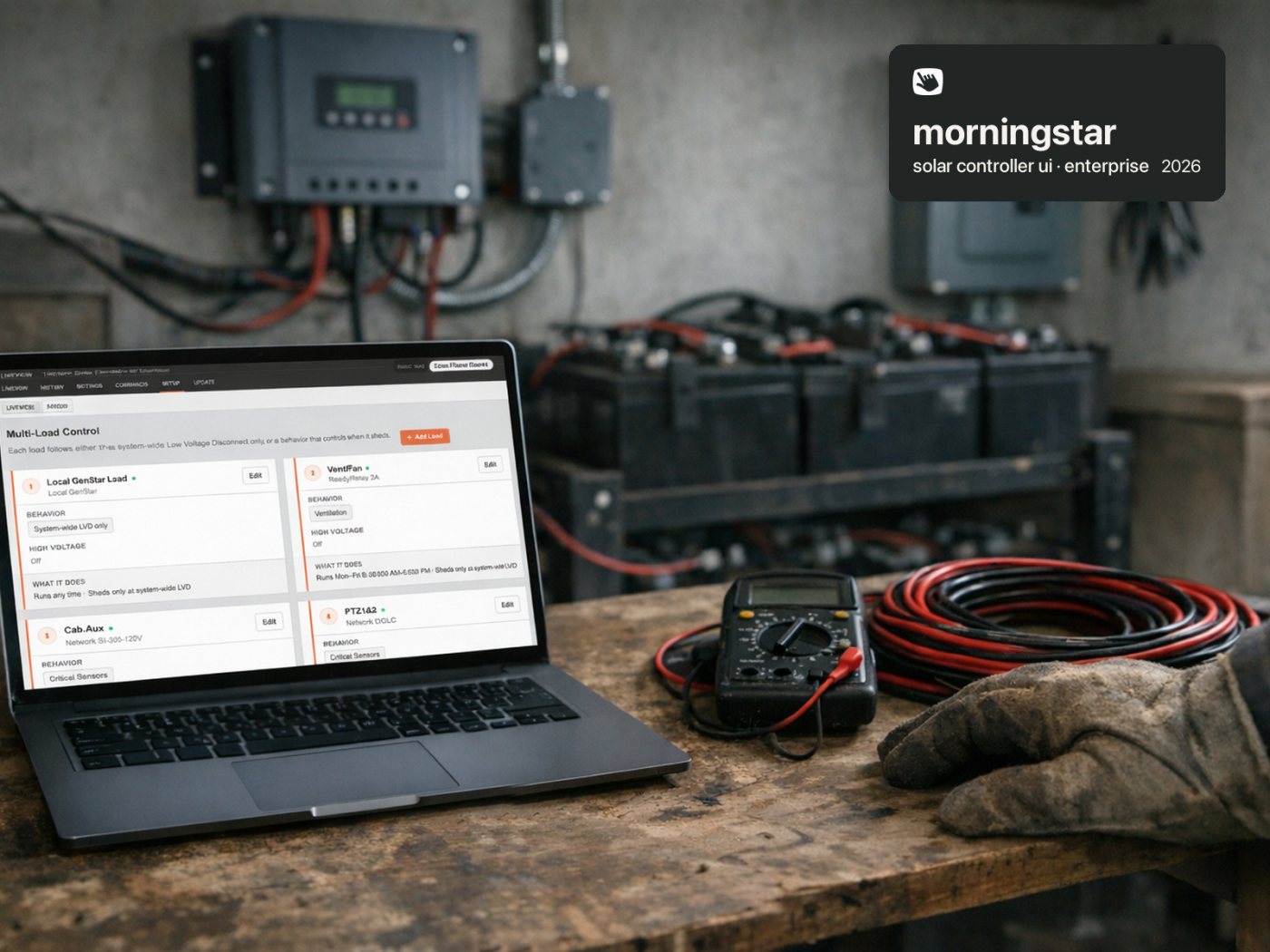
a screen you can read on site
we redesigned the setup and dashboard inside morningstar’s solar charge controllers, so the electrician standing at the panel can tell in seconds whether the system is healthy and safe.
see the case study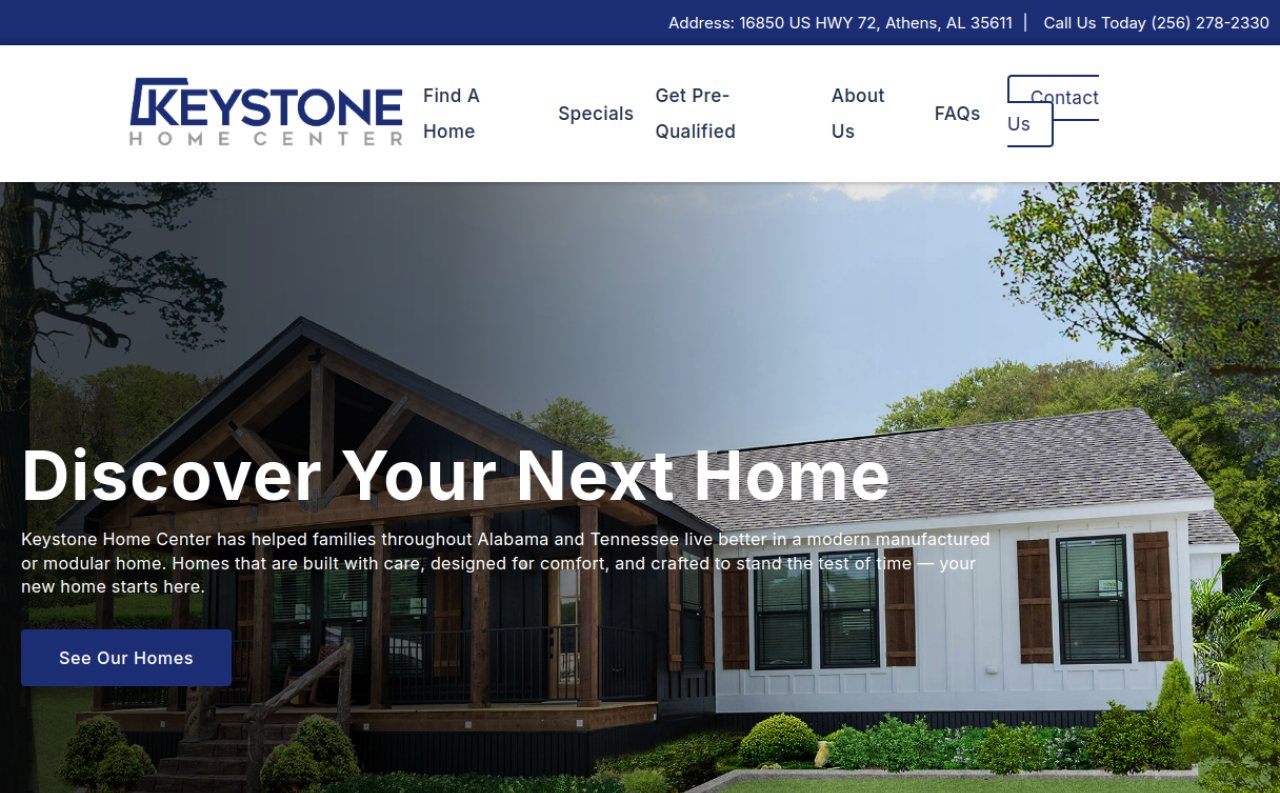
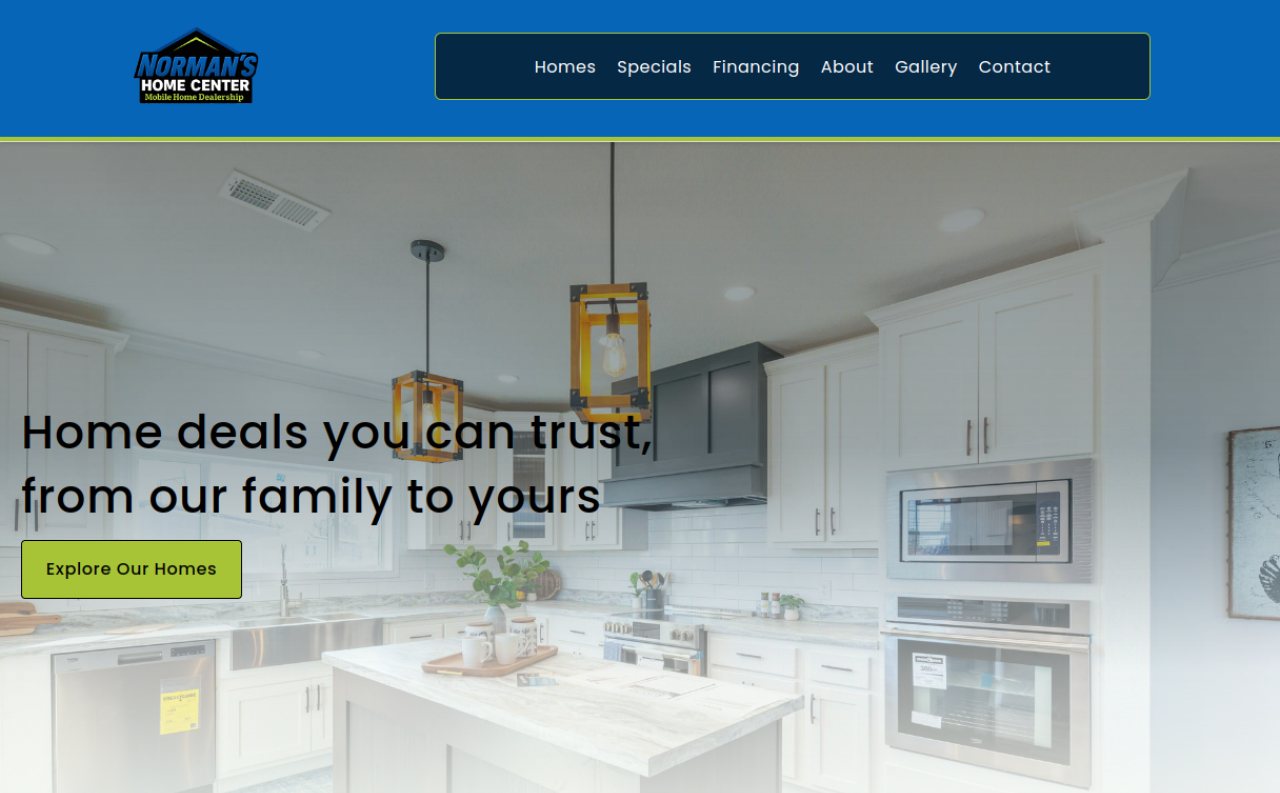
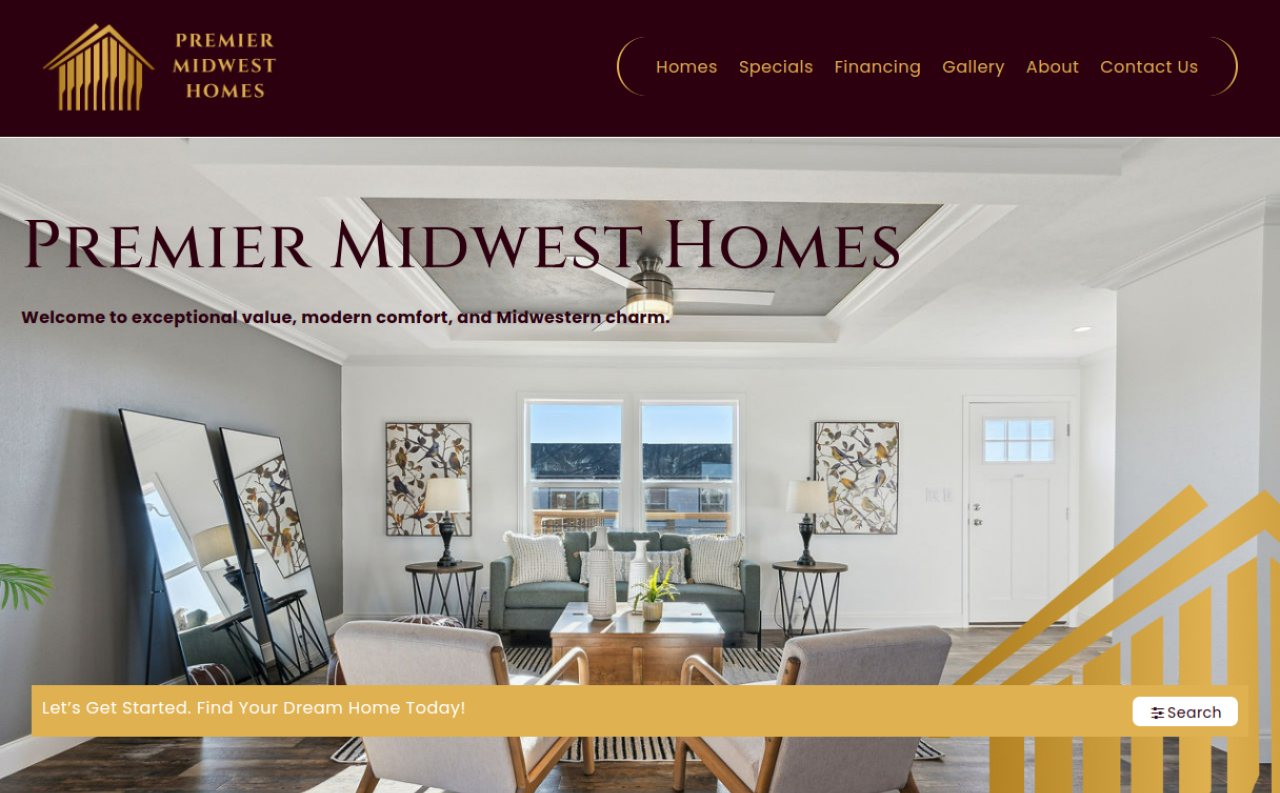
work for about 45 home dealers
a long partnership with bild media: website designs, logos and trade-show work for manufactured-home dealers and communities, each with a look of its own.
see the case studybuilt by someone who’s been on the crew.
brady worked on his stepfather’s construction crew over the years: on the site, hauling materials, outdoor labor. so he knows how the day really starts: a truck to load, a crew to place, and a plan that changes by 7.
since then we’ve designed sites for dozens of manufactured-home dealers and communities, and built yard, the platform behind them. we build the tool from what actually goes wrong on the job, not from a template.
already built a version yourself? good. bring it.
if you’ve had a go with lovable, bolt, cursor or a spreadsheet full of formulas, you’ve done the hardest part: you know exactly what it should do. we take it from “works on my laptop” to a real tool your team can rely on. same price, same week.
- a great demo, but not something you’d hand your team
- works on your laptop, mostly
- one shared login, or none at all
- nobody has checked who can see the data
- change one thing and something else breaks
- looks like every other quick build
- a real tool your whole team uses every day
- works in every browser and on every phone
- everyone gets their own login
- locked down and tested before handover
- built so changes are quick: most take under an hour
- designed around your brand, not a template
how it works
one call
you walk us through the group text, the whiteboard and the week it all went wrong. then we write down exactly what your tool will do.
about a week
we design every screen, you and your crew click through it and tell us what’s off, then we build and test it with your real jobs.
yours to keep
it runs on your own accounts, not ours, and we set them up with you. your team gets a short walkthrough video. brady reviews everything before it reaches you.
your data stays yours.
your jobs run on real addresses, phone numbers and prices. we treat that seriously, and every tool goes through the same security checklist before it reaches you. you get the checked list at handover.
card details never touch us
you pay through stripe’s secure checkout. we never see or store a card number.
it lives on your accounts
the hosting, database and domain are set up in your name from day one. we keep no copy of your data.
locked down by default
everyone on your team gets their own login. no shared passwords, and nobody outside your team can read anything.
tested before handover
we try to get at your data signed out, and signed in as someone else. both have to fail before you get the keys.
encrypted and backed up
https everywhere, data encrypted by the hosting provider, automatic backups switched on, and we test a restore.
we step out when we’re done
at handover we remove our own access and show you it’s gone. happy to sign your nda before you share anything.
the menu. every price, up front.
no quotes, no “it depends”. the tool has one price. when your business grows, every add-on has its price on it too, so you always know what a change costs before you ask.
before you buy
what happens after i pay?
you book a kickoff call straight from the thank-you page. on the call you show us how your jobs run today, and we send back exactly what the tool will do, in writing, by the next business day.
what if it’s not a fit?
if the kickoff call shows a tool won’t really help, we say so and refund you in full. no work starts until you’ve agreed the written scope.
does this replace jobber or buildertrend?
no. keep them for quotes, invoices and payments, and keep quickbooks for the books. we build the piece they don’t cover for your crew. with the “connect a tool” add-on it can read from them where they allow it.
will my crew actually use it?
that’s why we design first. your crew taps through the clickable version on their own phones before anything is built, and we change what they don’t like. nothing to install: it opens in the phone’s browser and saves to the home screen.
is this just ai-generated?
not the way people mean it. “vibecoding” is typing prompts until something sort of works and shipping it. we start where a design studio starts: we listen, design every screen in figma, and you click through and approve it before anything is built. then we build exactly that and test it with your crew on real phones. ai is one tool in our process, used to make the work more careful (nothing from your call gets lost, every built screen is checked against the approved design, every button is tested at every phone size), never to skip steps.
what do i actually get at the end?
industry-standard files you can hand to anyone: the figma design file, the clickable prototype, the code in your own repository, and hosting and database accounts in your name. nothing proprietary, nothing that ties you to us. plus a short walkthrough video for your crew.
what counts as one tool?
one job done well, like a crew board or a daily log. extra screens, alerts or connections are add-ons on the menu, each with its price.
do i need to know anything about websites?
no. your part is two sign-ups and one invite, about 15 minutes, and we can do it together on the kickoff call. running it usually costs about $25 a month, paid straight to the providers, with no fee per crew member. see the whole setup, step by step.
i already built something. can you use it?
yes, and it helps. we treat it as the best sketch we could ask for: keep what works, redesign what doesn’t, and rebuild it properly on your accounts. same fixed price.
who owns the tool and the data?
you do. it’s built on your accounts, in your name, and you can take it anywhere. we keep no copy.
will you sign an nda?
yes. send yours through the form below, or ask for ours, before you share your price sheet or any customer details.
what don’t you build?
anything holding medical or legal records, and we don’t replace your accounting software. taking payments is a bigger add-on, from $3,000, because real money has to work every time.
rather write?
no call needed. tell us what you’re working on and a person on our team writes back within one business day.
- send us your nda before you share anything. or ask for ours.
- ask a question about the menu, the setup or the timeline.
- something bigger than one tool: several crews, payments, a rebuild.
or email us directly at brady@bradyux.com
bring the group text and the whiteboard. we’ll take it from there.
three founding spots at $1,500. not sure yet? book 20 minutes and we’ll tell you honestly whether a tool would help.
rather write? send us a message, or your nda.