

Brady UX
my product · platform · 2026Yard

Custom websites for home dealers,
without custom development.

After designing dozens of manufactured-home sites, I kept seeing the same backend rebuilt from scratch. So I designed it once, as a platform: Yard gives each dealer or community a branded site with live inventory, run by their own team.

Role
Founder and product designer
Status
Live at yrd.homes, private beta
For
Dealers, communities and the agencies behind them
visit yard.figma.site ↗
~45client sites in the Bild partnership the pattern came from
6steps from sign-up to a published site
5embeds for dealers who keep their own website
$79a month per property, founder pricing in the beta
The repeat

The same backend, rebuilt every time

Through the Bild Media partnership I designed sites for dozens of manufactured-home dealers and communities. Each one had its own look. Underneath, they all needed the same things: listings, home models, intake forms, leads, and a brand on top.

And every time a dealer added a home, someone had to touch the site. The design work was different on every project. The plumbing was not. That gap was the product.
  1. 2024–25dozens of dealer and community sites with Bild
  2. Jun 2026the community pattern becomes a reusable template
  3. Aug 2026Yard live at yrd.homes, in private beta
  4. Aug 2026an audit of the admin, and a plan for v2
From one-off sites to a product of its own.
The structure

Built for agencies, invisible to end users

Yard is white-label on purpose. An agency or dealer group signs in once and runs many properties. Each property is one branded site, and that is also how it's priced: per published site, with inventory, home models and teammates unlimited.

A family shopping for a home never sees the word Yard. They see the dealer's name, the dealer's homes and a way to get in touch.

1
Organizationthe agency or dealer group, and its teammates
2
Propertyone branded site: the unit you pay for
3
Homes and modelsinventory for sale and the floor plans behind it
4
Leadsintake forms and contact requests, in one inbox
How the platform is organized, from the account down to the lead.
Design decisions

One system, many places

Templates are full visual languages, not colour swaps. Each of the six (classic, modern, bold, minimal, warm and editorial) sets its own type scale, spacing, radius and shadow, so a lot in Texas and a quiet lakeside community can feel different on the same foundation.

Dealers manage their own inventory. Adding a home used to mean waiting on a developer; now it's a form. And for dealers who already love their website, the inventory grid, model gallery, payment calculator, contact card and property directory drop into it as embeds.

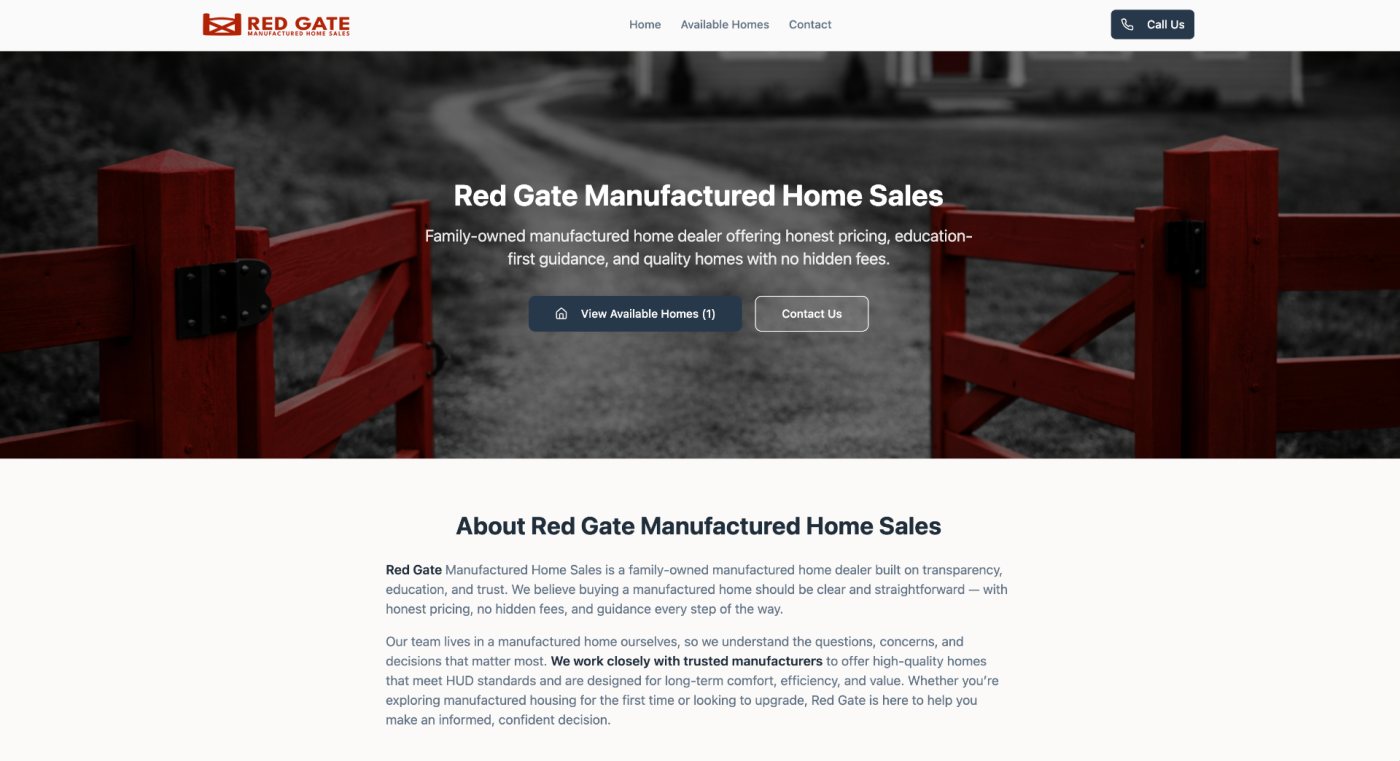
A dealer's home pageA dealer's home page
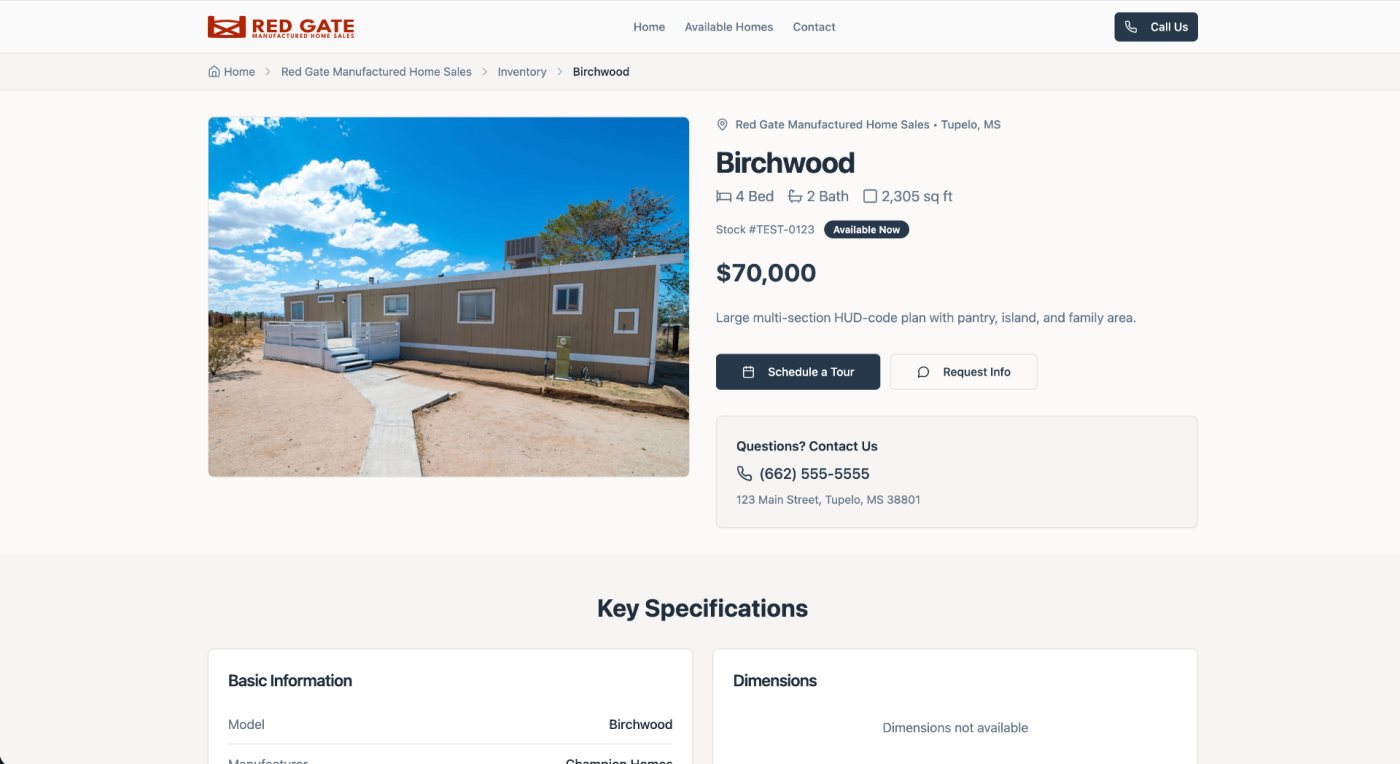
A home, with price, specs and a way to askA home, with price, specs and a way to ask
A demo property site running on Yard, built from a real Bild dealer.
Setup

From sign-up to a live site, in order

The setup is one guided path, so nobody has to know where anything lives before they start. Each step asks for one kind of thing and saves it, and the site is real the moment it's published.

01Create organizationwho you are
→
02Add propertythe community or lot
→
03Brandlogo, colours, template
→
04Configure sitepages and contact details
→
05Add inventorythe homes for sale
→
06Publisha live branded site
↺ after launch, the dealer's own team keeps inventory and leads current
The six-step onboarding path.
What's next

Redesigning the admin around the agency

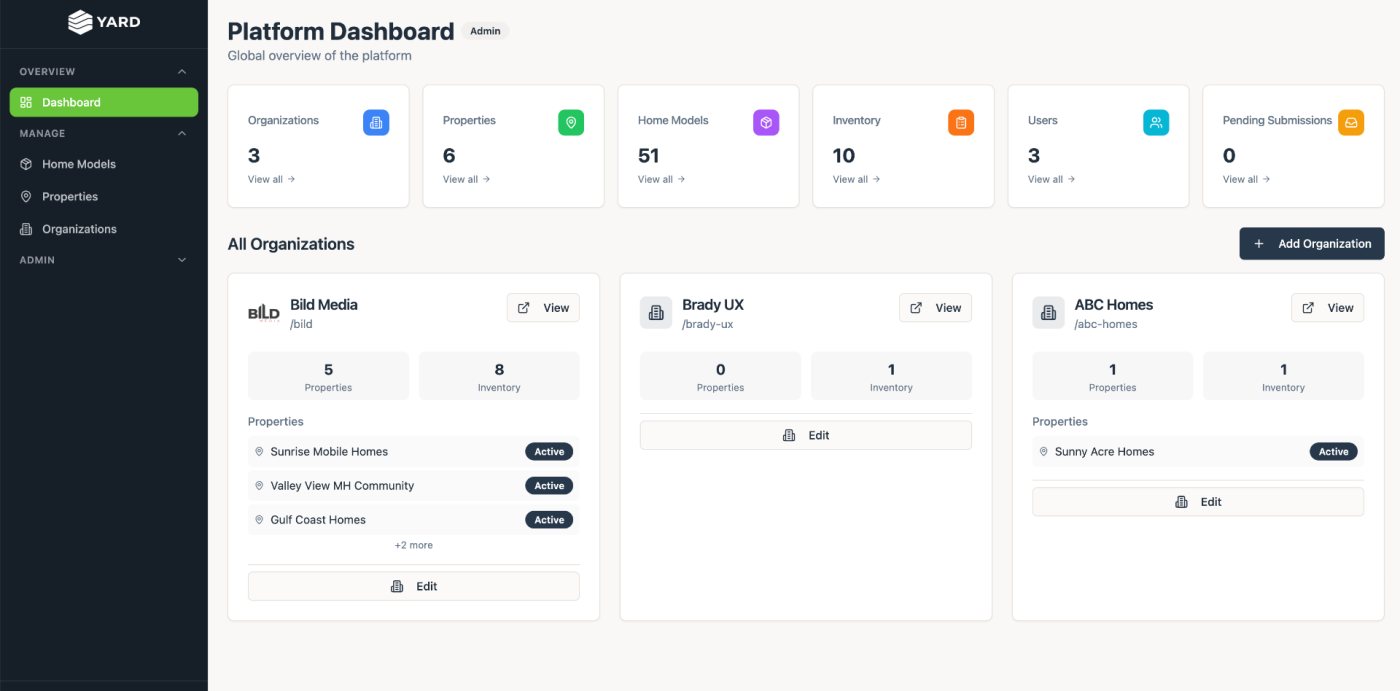
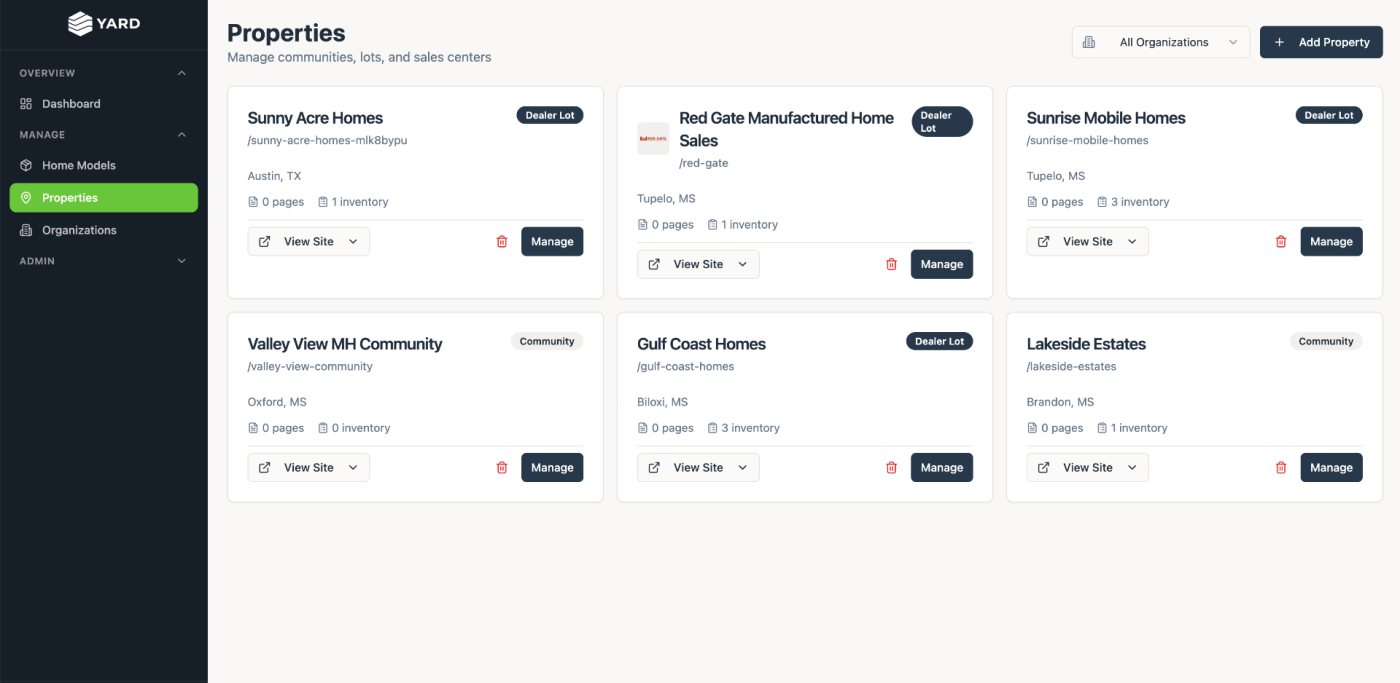
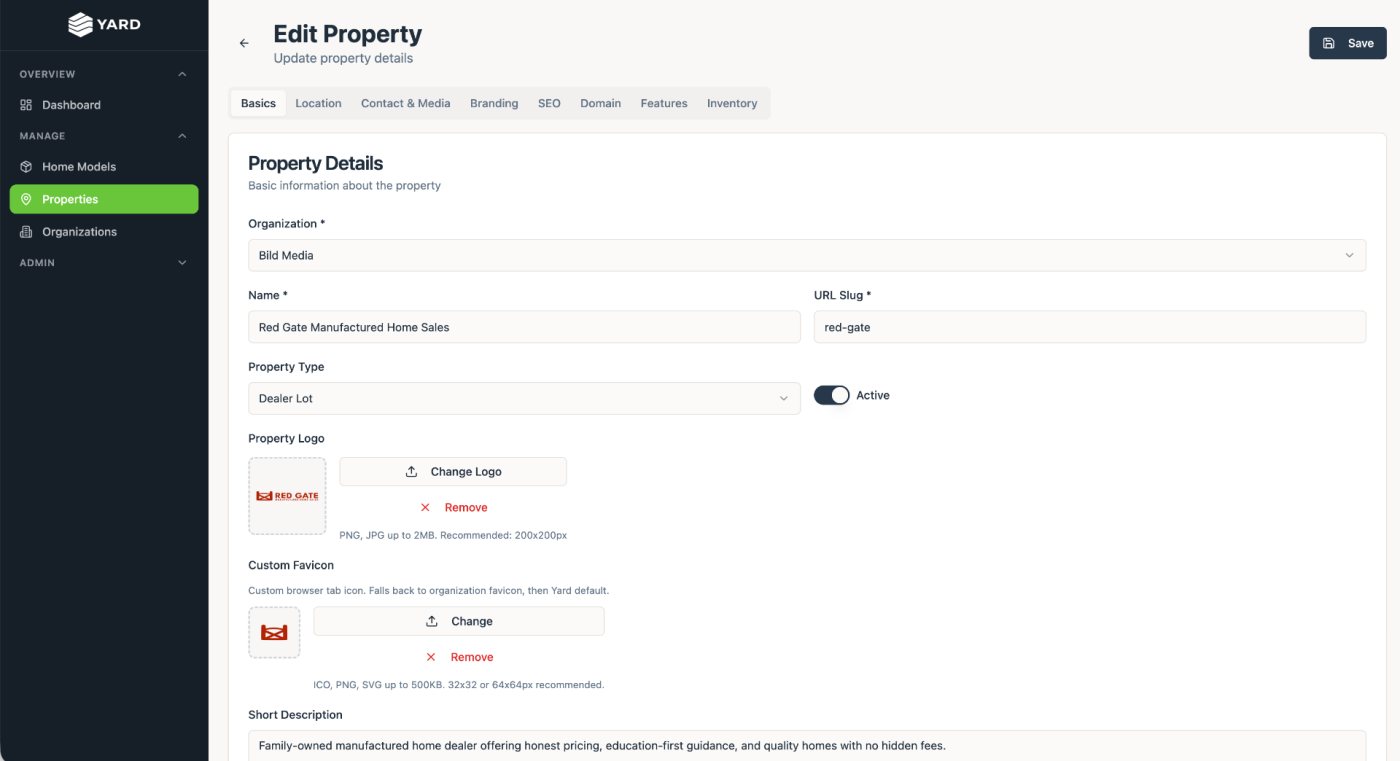
Running it day to day showed where the first version was thin. The admin had grown table by table, so the database became the menu, and it still assumed one organization per login, which works against a product built for agencies. Some features the pricing page promises were also hidden from dealers at launch.

So the v2 plan starts with structure, not screens: one login for many client organizations, the embeds and home models opened up to dealers, and simple tables with inline status editing in place of card grids.

Platform dashboardPlatform dashboard
PropertiesProperties
Editing a propertyEditing a property
The v1 admin, which the v2 redesign reorganizes.
Looking back

What I'd tell another designer

Look for the work you keep redoing. After enough client sites, the repeated part stops being a chore and starts being a product.

And let real use rewrite the plan. The first version proved the idea; the second one is being designed around how people actually run it.