

a run-of-show template that holds up on the day.
every moment of your event in one place: who owns it, where it happens, who’s confirmed and who’s not. plus crew and vendor tabs that count themselves.
| start | mins | what’s happening | where | owner | crew | status |
|---|---|---|---|---|---|---|
| 7:00 AM | 120 | Load-in: tables + staging | Dock B | Sam | 4 | confirmed |
| 9:30 AM | 60 | AV check: sound + projector | Main hall | Priya | 2 | confirmed |
| 11:00 AM | 30 | Catering drop-off | Kitchen | Jordan | 2 | waiting |
| 12:30 PM | 30 | Check-in table set up | Lobby | Sam | 3 | waiting |
| 1:00 PM | 15 | Doors open | Lobby | Priya | 3 | at risk |
| 1:15 PM | 45 | Welcome + keynote | Main stage | Alex | 1 | confirmed |
what’s inside
run of show
start and end times, minutes worked out for you, owner, crew needed, vendor contacts and a status for every row.
status colours
pick confirmed, waiting, at risk or done. the row colours itself, so problems stand out at a glance.
crew tab
who’s working, their role, phone and shift. hours add up on their own, and unconfirmed people turn red.
vendors tab
every vendor, what they’re bringing, when they arrive, where they load in, and whether they’re confirmed and paid.
how to write a run of show that works
a run of show is the minute-by-minute plan for your event. a good one means anyone on your team could run the day from it, even if they missed every planning call. here’s what we learned running events for six years.
1. start from load-in, not from doors
most problems happen before the first guest arrives. put load-in, deliveries, av checks and set-up on the sheet with real times, and do the same for teardown at the end.
2. one owner per row
every row needs one name, not “the team”. if a row has no owner, it’s the one that won’t happen. add their phone number to the crew tab so anyone can reach them.
3. use status, not memory
mark each row confirmed, waiting or at risk as you go. the day before, filter for anything that isn’t confirmed, and that’s your to-do list.
4. build in buffer
leave 10 to 15 minutes between anything that depends on a vendor arriving. catering is late more often than you’d think.
5. keep exactly one version
the moment there are two copies, someone works from the wrong one. share one version, view-only, with crew, vendor leads and the venue. edit it in one place.
outgrown the spreadsheet?
six versions floating around, crew scheduled by group text, nobody sure what’s confirmed. we turn your run of show into one simple tool your whole team uses on their phones, designed around how you work, ready in about a week.
see how it works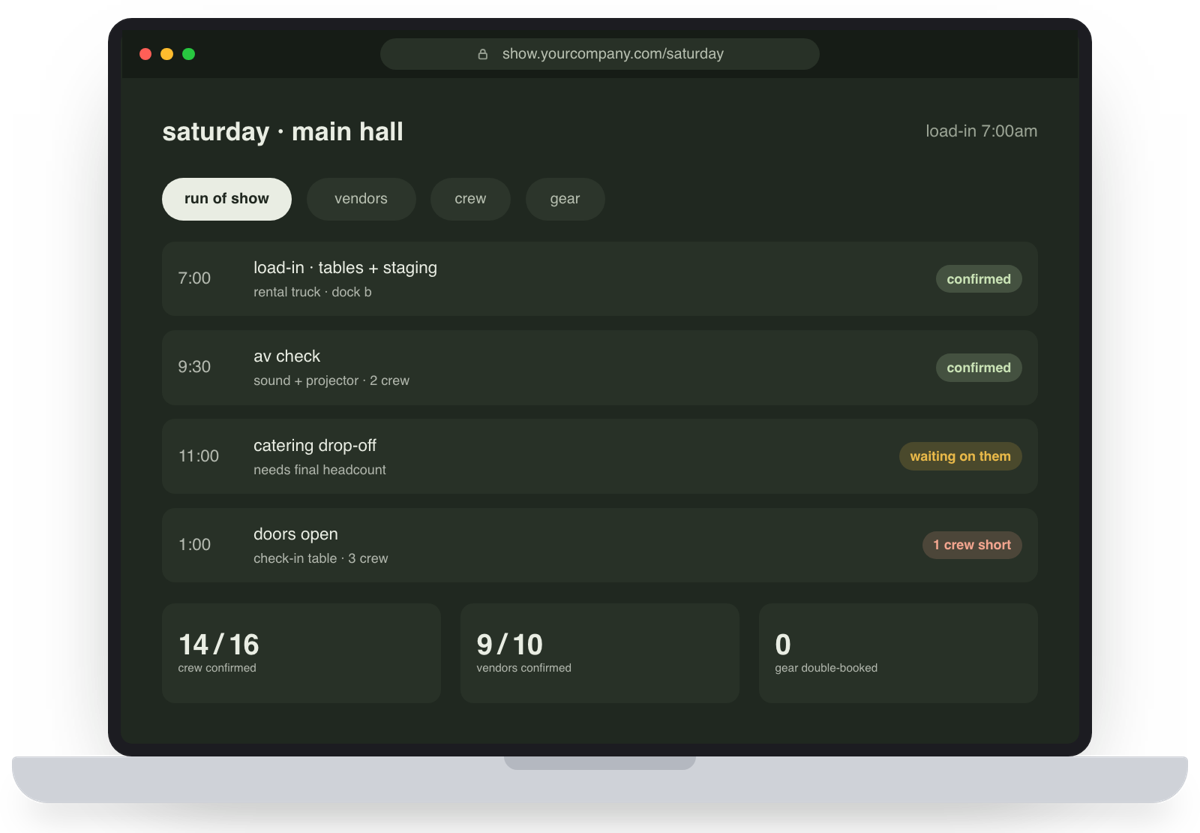
questions
What is a run of show?
A run of show is the minute-by-minute schedule for an event: every moment of the day in time order, where it happens, who owns it and what they need. It is the single document everyone on the team works from on the day.
How detailed should a run of show be?
Detailed enough that someone who missed the planning meetings could run the day from it. One row per moment that needs a person to do something, with a start time, an owner and a contact. Load-in and teardown count too.
Who should have the run of show?
Everyone who works the event: your crew, your vendors’ leads, the venue contact and your speakers or performers. Share one view-only version so nobody works from an old copy.
Does this template work in Google Sheets?
Yes. Upload the file to Google Drive and choose File, then Save as Google Sheets. The dropdowns, status colours and totals carry over. It also opens in Excel and Apple Numbers.
Is it really free?
Yes. No email, no sign-up. Download it and use it for as many events as you like.
Can you build this into a real tool?
Yes, that’s what we do. See the custom event tools, with every price up front.