Brady UX
my product · web + iPhone · 2025–2026TasteOS

Start with taste,
let the recipe follow.

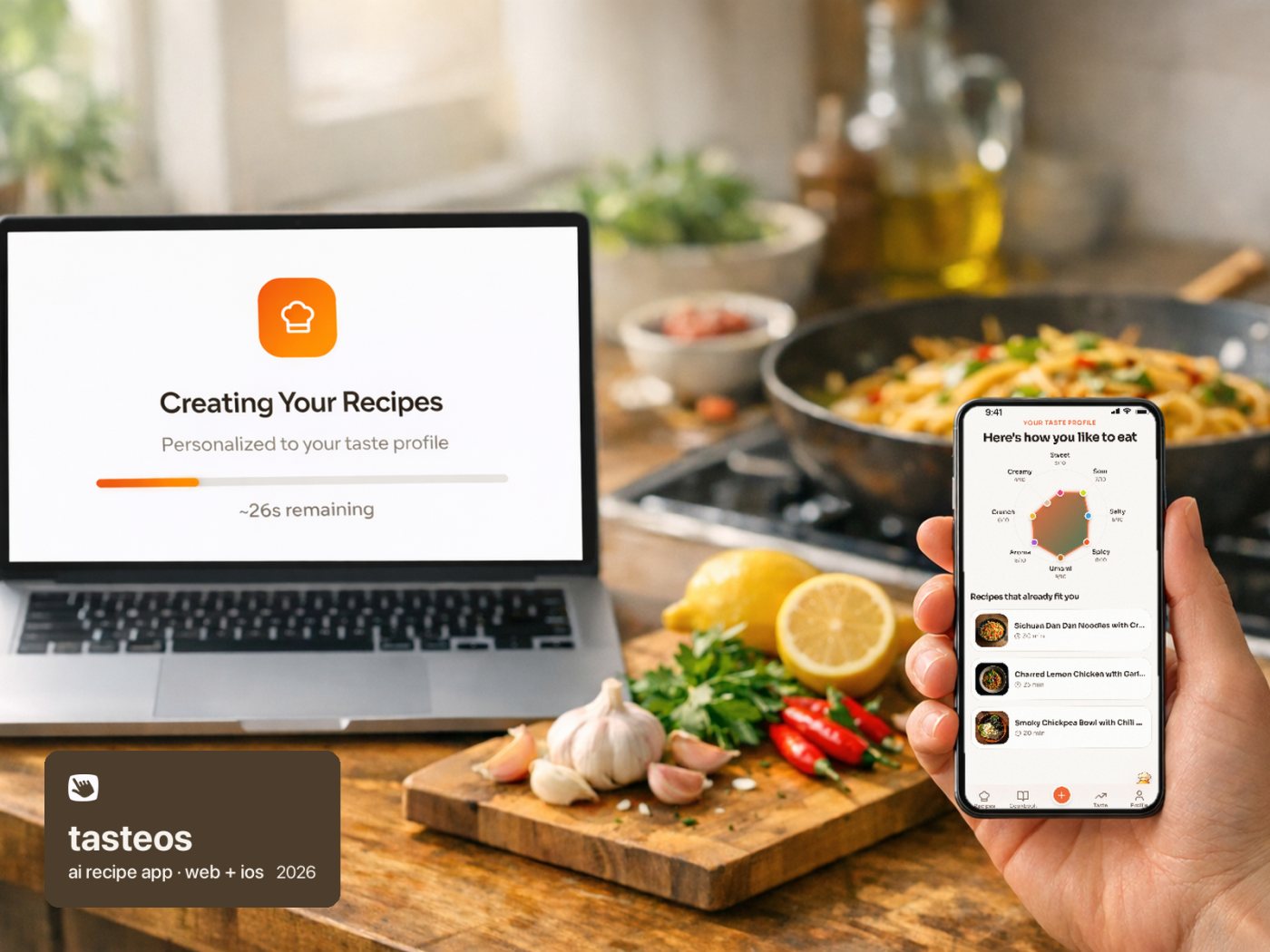
TasteOS is my own recipe app. It learns how you actually like to eat, draws it as a taste fingerprint, and makes recipes around it. It's live on the web and the App Store, and small enough that every number in it is honest.

Role
Product, design, launch: all of it
Platforms
tasteos.app and iPhone
Status
Live on the App Store since July 2026
visit tasteos.figma.site ↗
8taste dimensions in every fingerprint, from sweet to creamy
~98%of the AI bill was images, at about 4¢ each
253accounts by October 2026. Small, and I'll say so.
$4.99a month after the paid-only switch, or $29 a year, with a free week
The problem

The hard part isn't cooking. It's deciding.

Most recipe apps start with the recipe. The real moment people get stuck is earlier: it's 6pm and nobody knows what they even want to eat. That's decision fatigue, and it's where TasteOS starts.

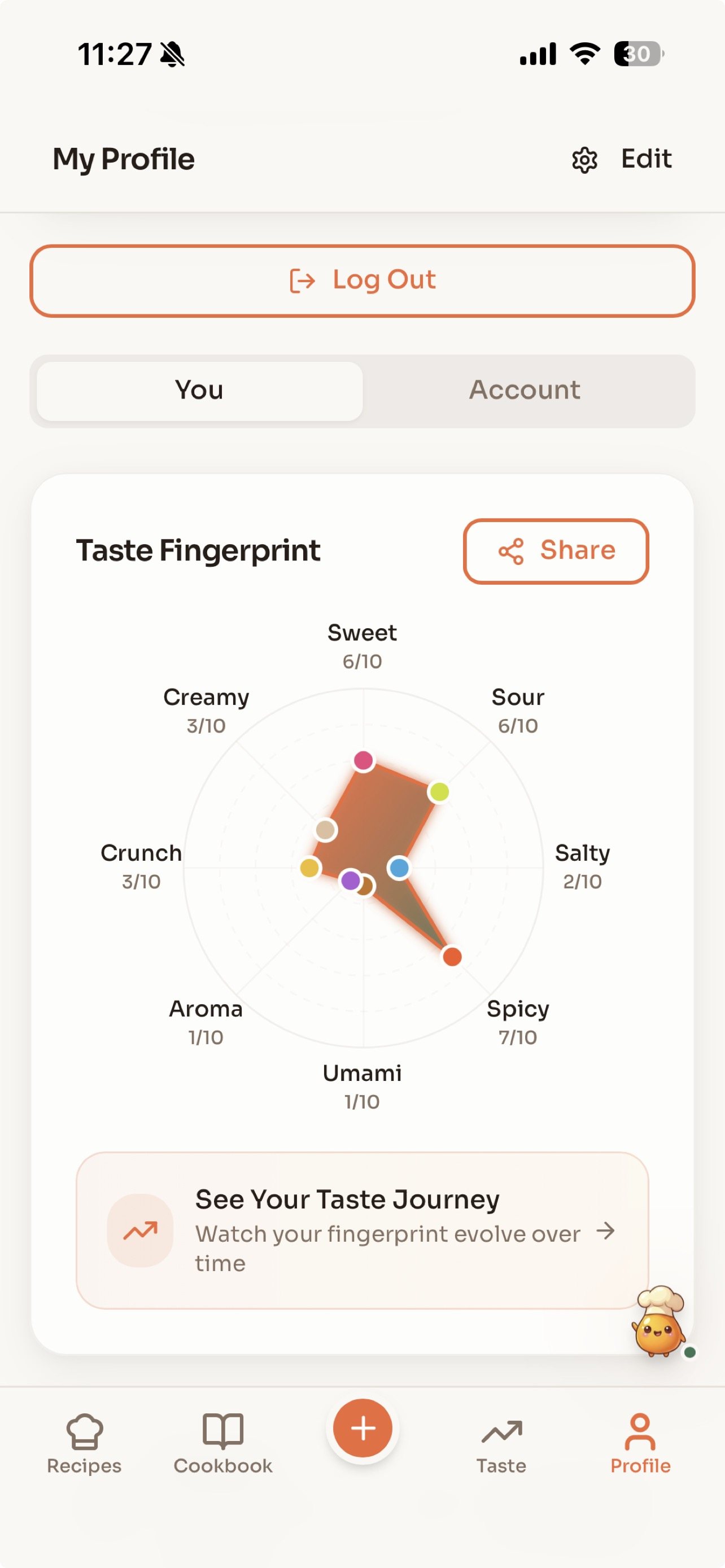
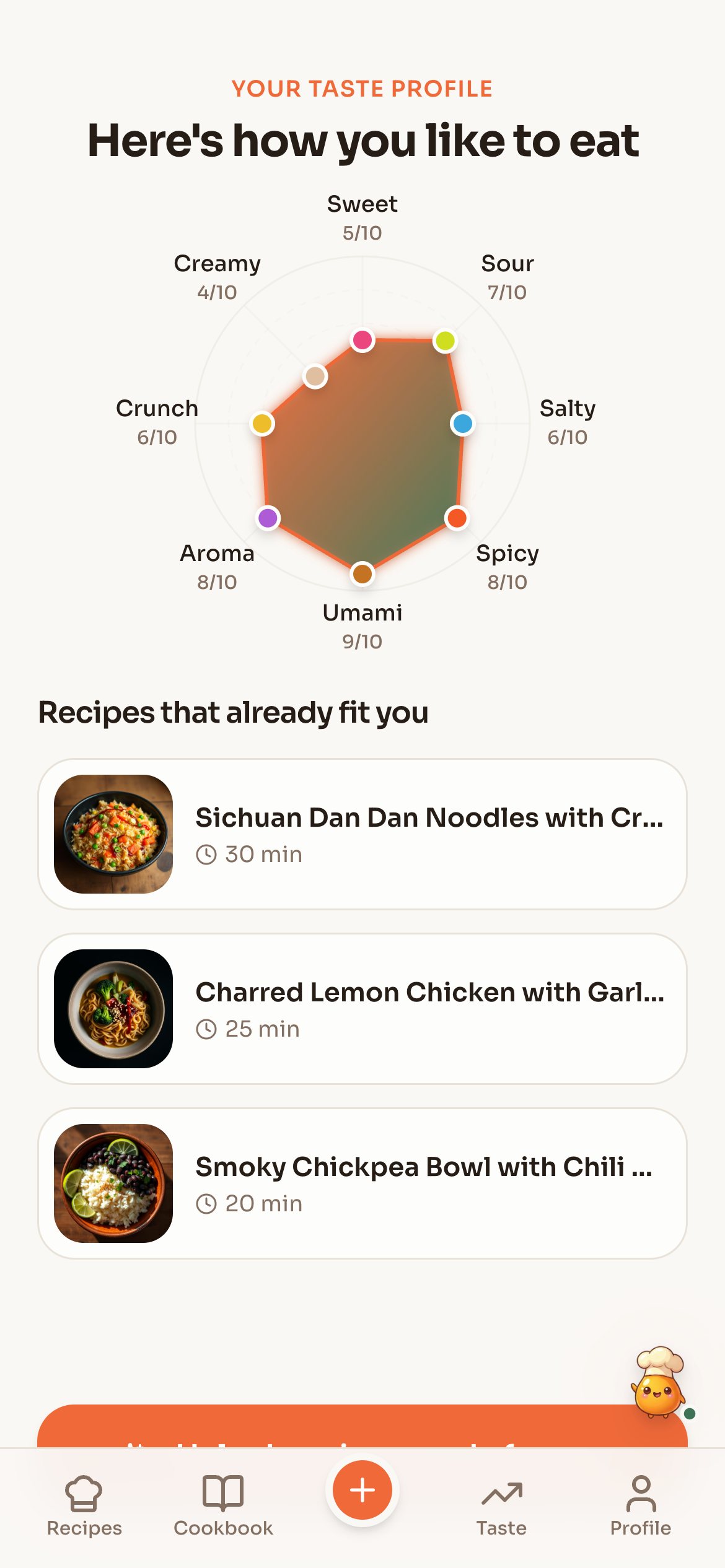
So the first thing the app does is ask about you, not about dinner. A short quiz with sliders covers how much you like sweet, sour, salty, spicy, umami, aroma, crunch and creamy. Those eight answers become your taste fingerprint, a shape you can see and edit, and every recipe after that is made to fit it.
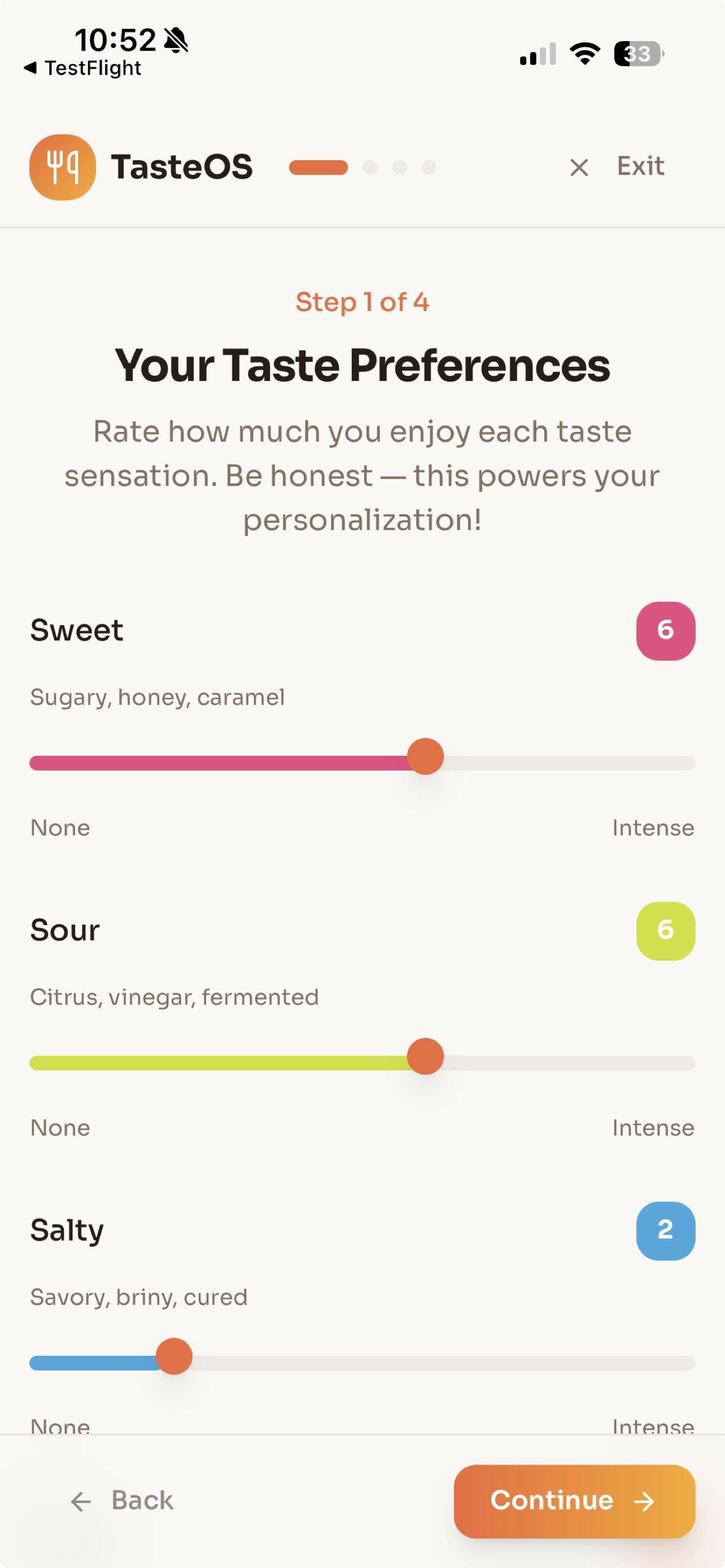
The taste quiz: sliders, one flavour at a timeThe taste quiz: sliders, one flavour at a time
The result: your taste fingerprintThe result: your taste fingerprint
Real screens from the iPhone app. The fingerprint is tappable, so changing your taste is one tap back into the quiz.
The product

Three ideas, all yours

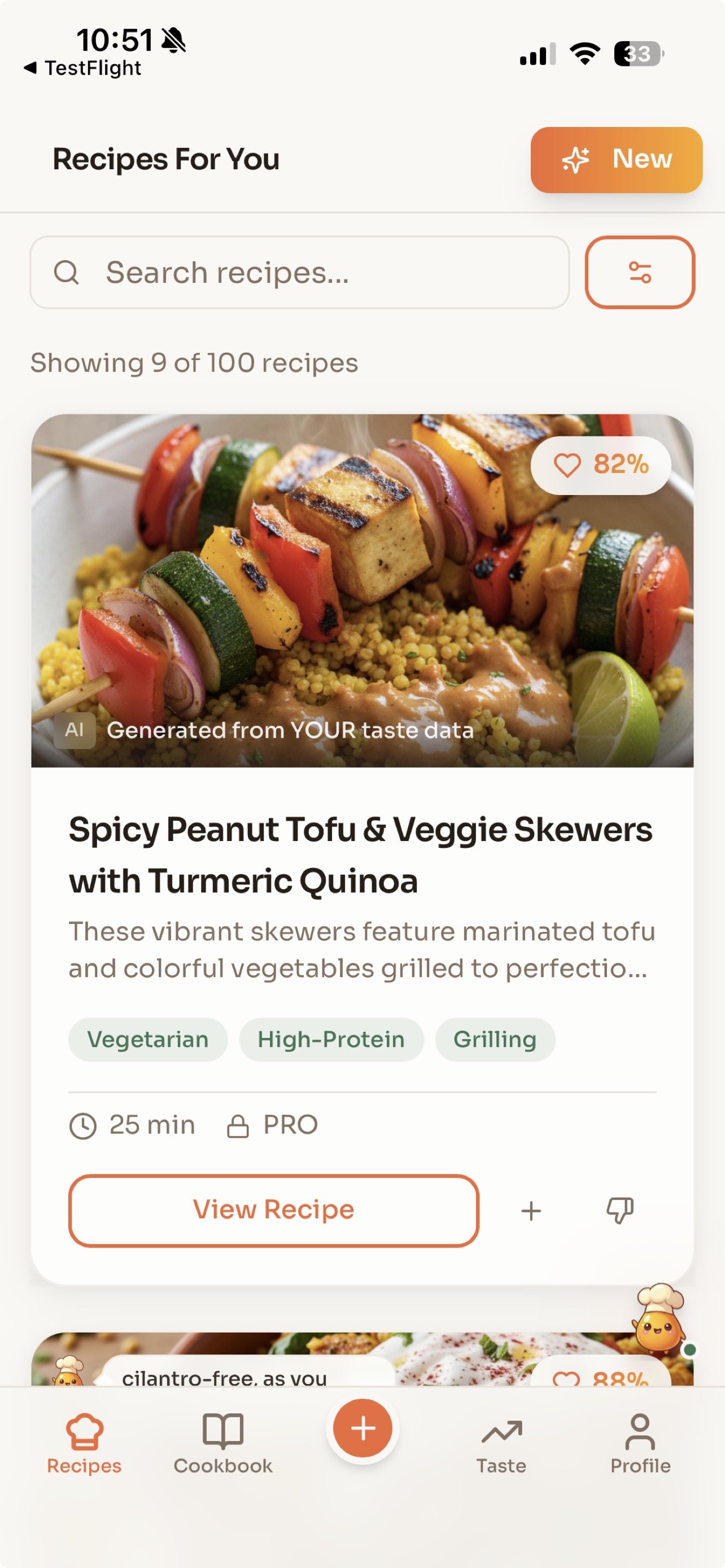
Each search returns three recipes, each from a different angle (comforting, adventurous, quick weeknight), each with a match score against your fingerprint and a photo of the dish.

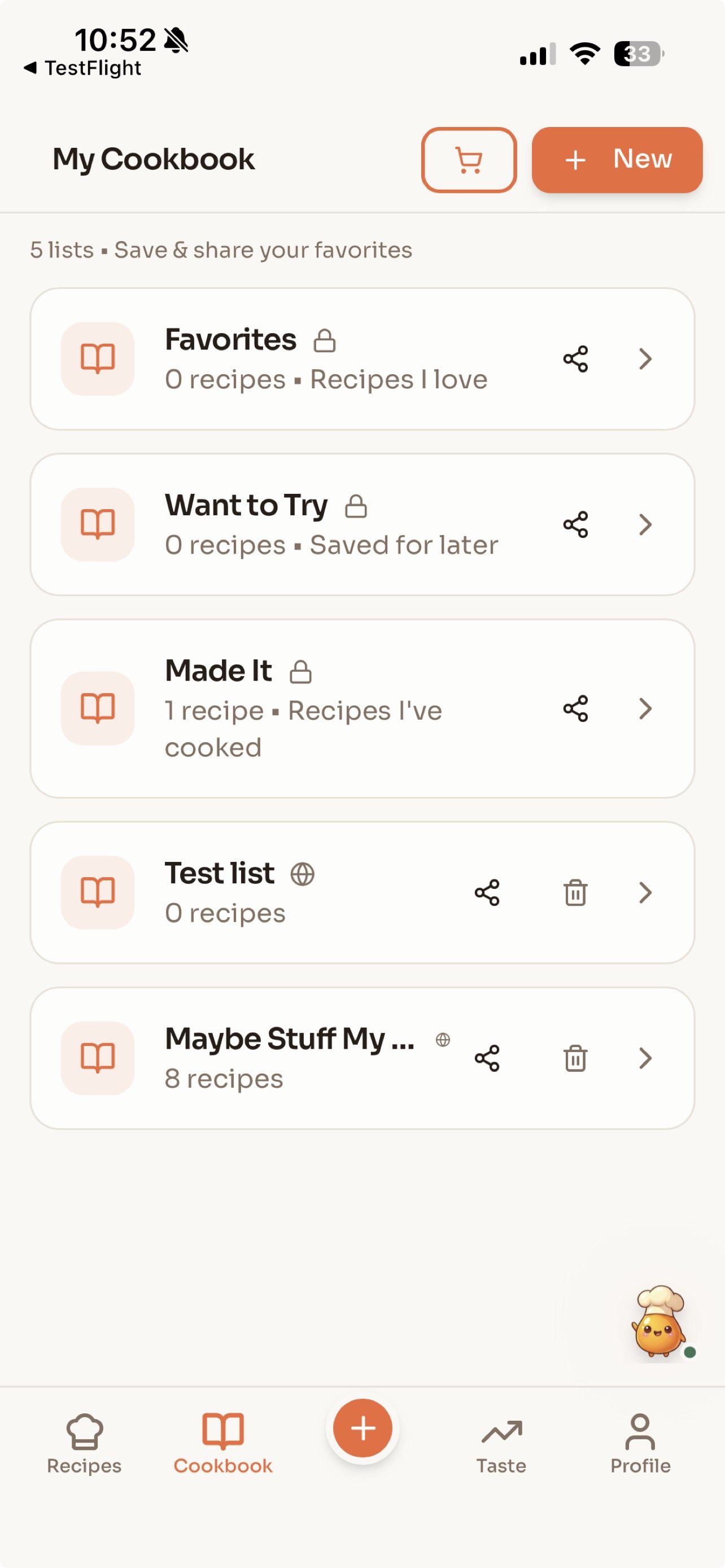
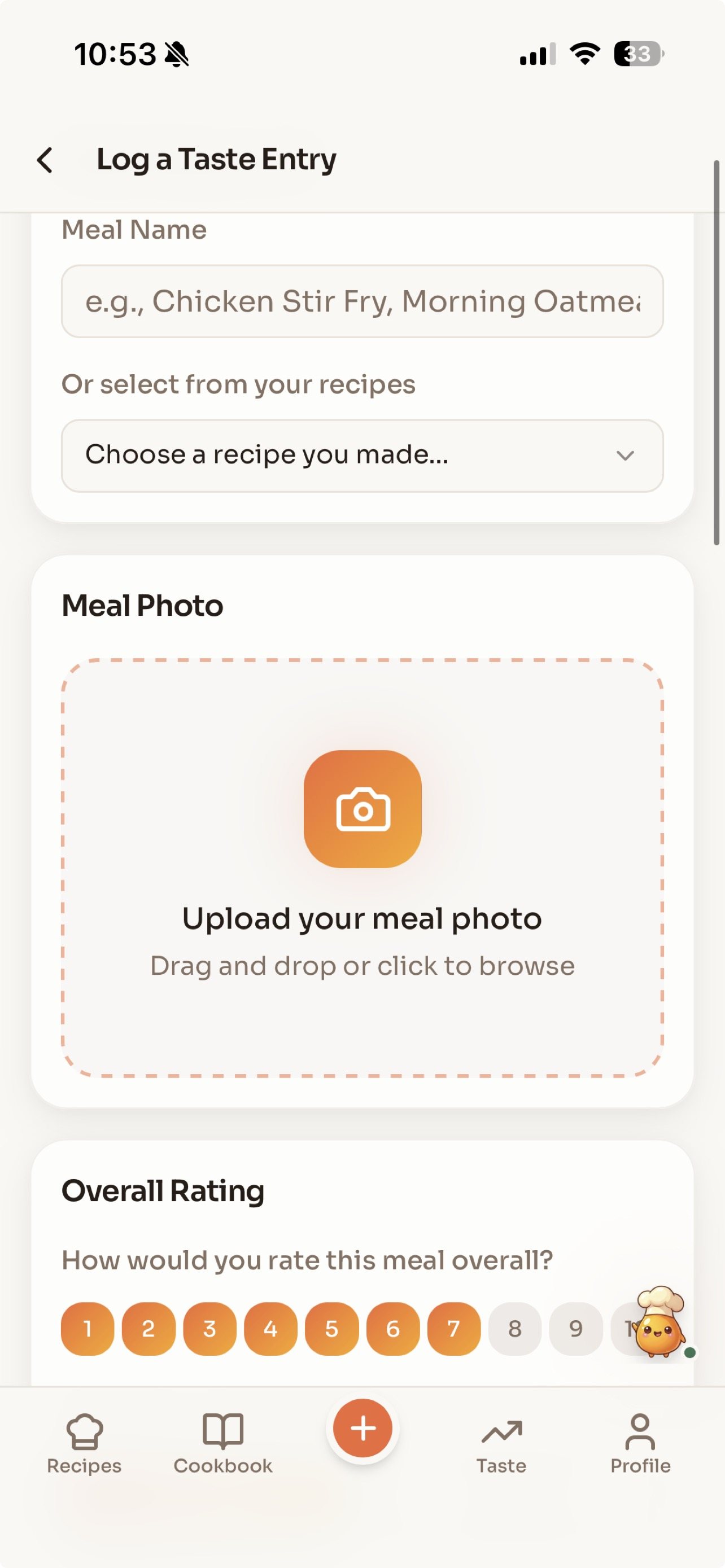
The rest of the app is built to keep that loop going: save what you like to a cookbook, log what you actually cooked and how it tasted, and keep your profile and kitchen in one place. On the phone that's five tabs and nothing else. I cut every marketing page out of the app so the food shows on the first screen.

Recipes for youRecipes for you
CookbookCookbook
Log a mealLog a meal
Profile and fingerprintProfile and fingerprint
The four tabs that matter, as shipped to the App Store.
The cost

Almost the whole AI bill was pictures

When I read the real cost panel, the answer was lopsided. Writing a recipe cost a fraction of a cent. Each dish photo cost about 4¢, and a search makes three of them. Images were about 98% of everything the AI cost.

The obvious fix was to drop or delay the photos. I kept them. Seeing three dishes appear at once is the moment the app clicks for people, so it stayed. Instead I protected it: generation now needs an account (anonymous use had been draining about $20 a day), there are daily caps and an off switch, and the next lever, when traffic justifies it, is reusing photos for repeat dishes.

98%

of the AI cost was images, at about 4¢ each. Recipe text was almost free.

From the app's own cost panel, mid-2026. Later in the year a cheaper image model cut the per-photo cost further.
The shop window

Search brings people in, not ads

I tried paid social for the first launch. It didn't work. What did work was search: a set of free recipe pages built from the same engine, organised around the ways people actually look for dinner.

There are pages for cooking with an ingredient you already have, for diets, meal types and occasions, and a set built on moods and situations: tired, can't decide, too hot to cook. A page only goes live once it has at least six real recipes behind it. In a three-month audit in June, the grocery list generator was ranking first for its search, and the whole set had drawn about 44,500 impressions.

1
Someone searches"what can I cook with onions", "grocery list generator", "too tired to cook"
2
A free recipe page answersingredient, diet, meal type, occasion and situation pages
3
The taste quiztwo minutes, eight sliders, a fingerprint
4
The free weekrecipes made for you, then a subscription
The path from a search to a subscriber. The first yearly subscriber came exactly this way: Google, a blog post, the quiz, the paywall.
The honest numbers

The leak was never the paywall

In October I counted every account by hand, because the dashboard's funnel was undercounting. Of 253 accounts, more than half had never made a single recipe. About 30% made one search and never came back. Only about 11% used their whole free allowance, and of those, about one in 25 paid.

That changed the question. Free users were most of the AI bill and almost none of the revenue, and the real problems were the first recipe and the second visit. So I made TasteOS paid-only, with a free first week: $4.99 a month or $29 a year. The search pages stay free, because they're the shop window. Every recipe the AI makes now has someone paying for it.

Never made a recipe55%
One search, never back30%
Used the whole free tier11%
Share of all accounts, counted from the user list in October 2026. Rounded.
The road

From a web app to the App Store, and back to basics

The web app came first, and search is still how strangers find it. The iPhone app came in the summer, for the people who stay: native sign-in, in-app subscriptions and the camera for photographing your fridge. Apple rejected the first submission over promo codes, marketing-style screenshots and a missing terms link. I fixed all three, reshot the store with real screens, and it went live on the third of July.

In September I nearly shut it down. In October I reopened it on the paid-only model above, with a sixty-day test and a clear bar: keep it if ten people are paying by the tenth of December.

  1. Dec 2025web launch
  2. Jun 2026first paying subscriber
  3. Jul 2026live on the App Store
  4. Sep 2026parked
  5. Oct 2026reopened, paid-only
  6. Dec 2026the read-out
The read-out on 10 December decides whether it keeps going.
Looking back

What my own product taught me

Count by hand before you trust a dashboard. The chart said one signup a month; the user list said forty. Every good decision here came from the real number, even when it was small.

And protect the moment, don't cut it. The photos were the expensive part and the part people loved. The answer was to make sure someone was paying for them, not to take them away.