

Brady UX
client · mobile · 2024Capstone Coach

54 screens,
one goal.

Capstone Coach is an iOS app that helps students and early-career professionals practise for interviews and other high-stakes conversations. People liked the AI coaching but kept getting lost before their first practice session. I redesigned all 54 screens around one goal: make that first win impossible to miss.

Role
Lead product designer: UX strategy, UI, prototype
Client
Capstone Coach (founder-led startup)
Scope
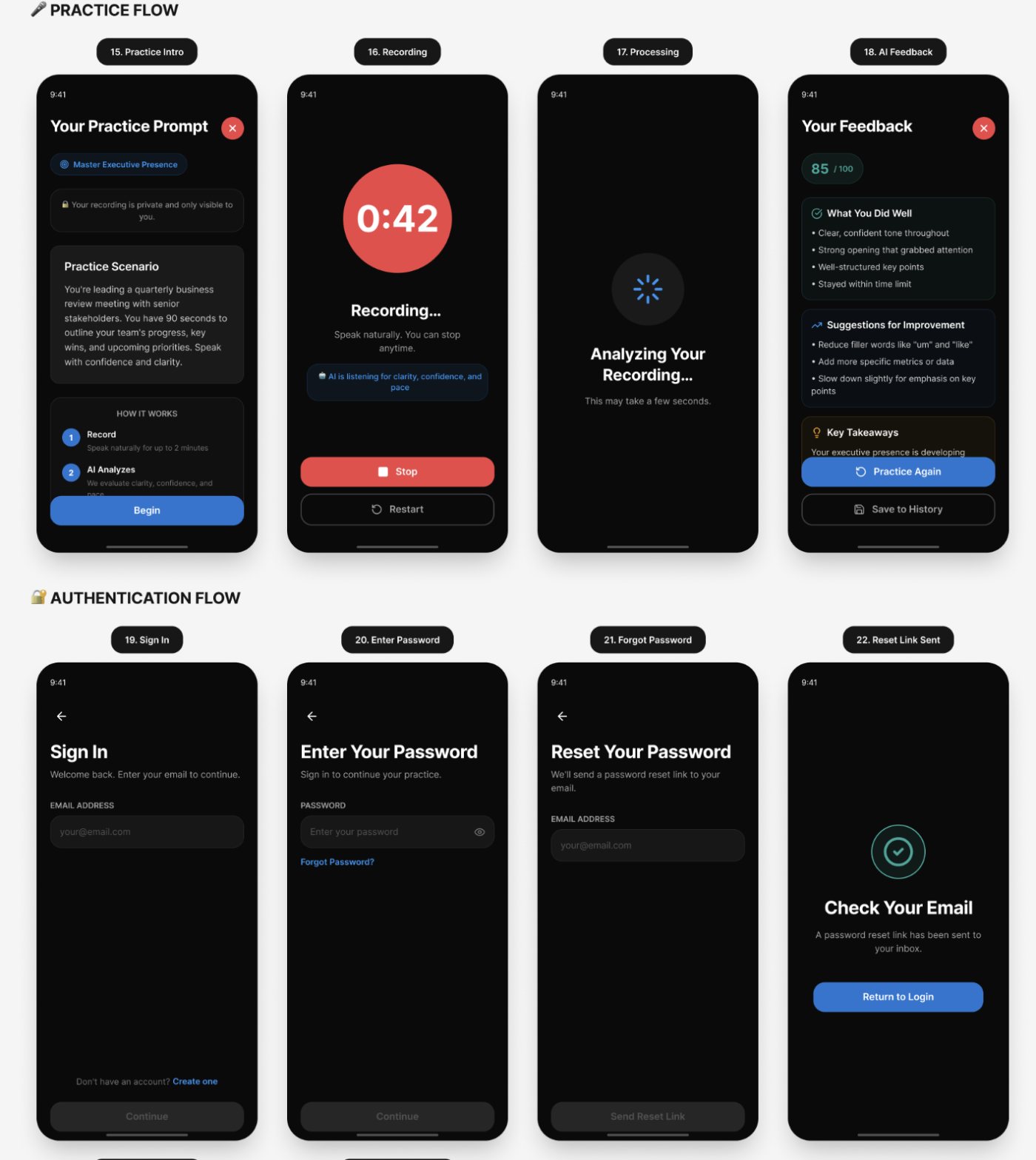
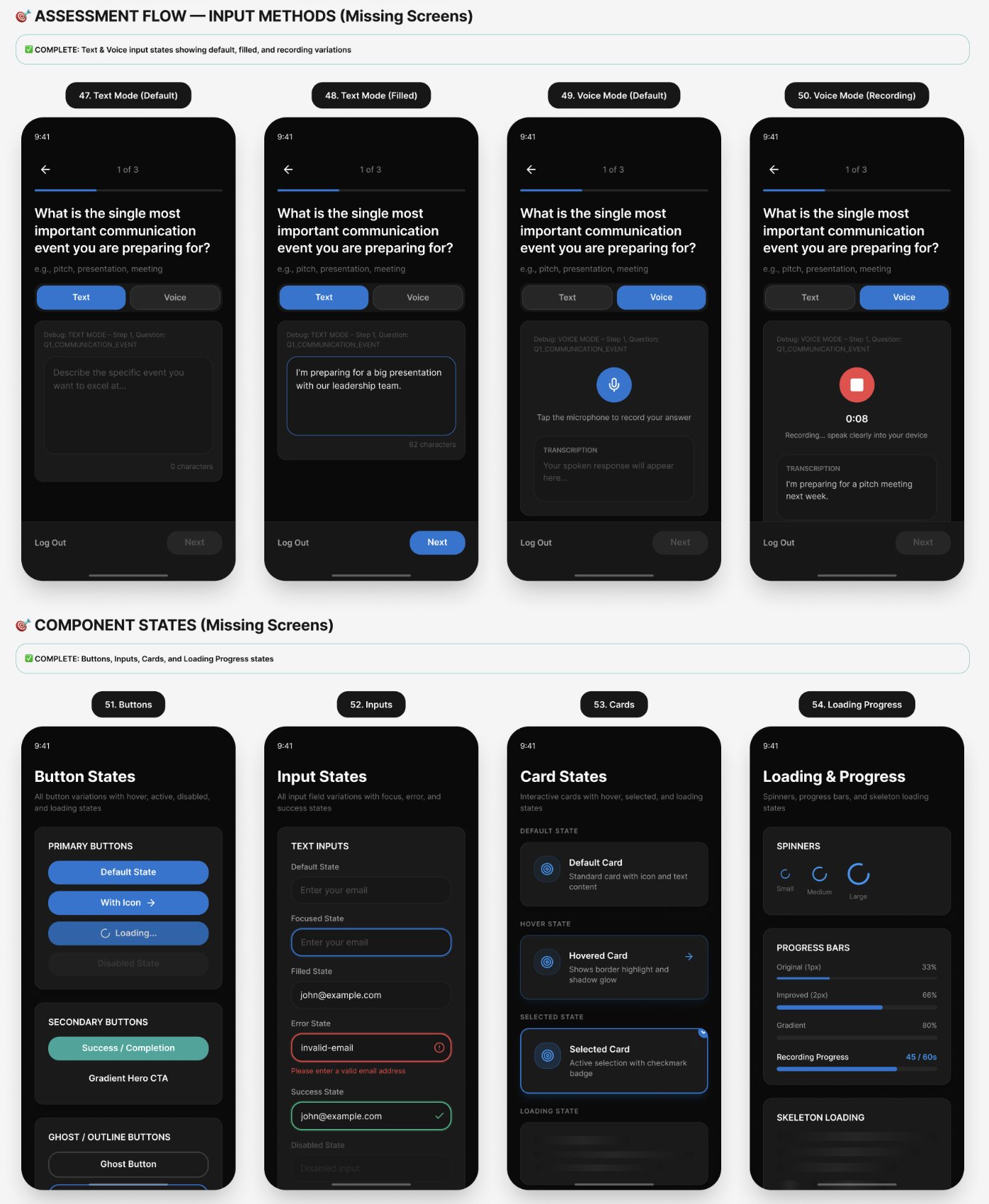
54 screens, 12 flows, full component library
visit capstonecoach.figma.site ↗
54screens redesigned, dark mode, iPhone
12major user flows
3working sessions, proposal to approval
1north star: reach the first practice session
The problem

Losing people before they saw the value

The startup had a working product, real users and a paid launch coming. But the path from signing up to a first practice session was where people dropped off. New users landed on a dashboard showing zero progress, several competing buttons and no clear first step.

So the redesign started from one rule: users must reach the first practice session without confusion. If a change didn't serve that journey, it didn't ship. Every screen had to answer one question: what do I do next?
01Sign upcreate an account
→
02Welcomea personal greeting and one button
→
03Assessmentthree short questions
→
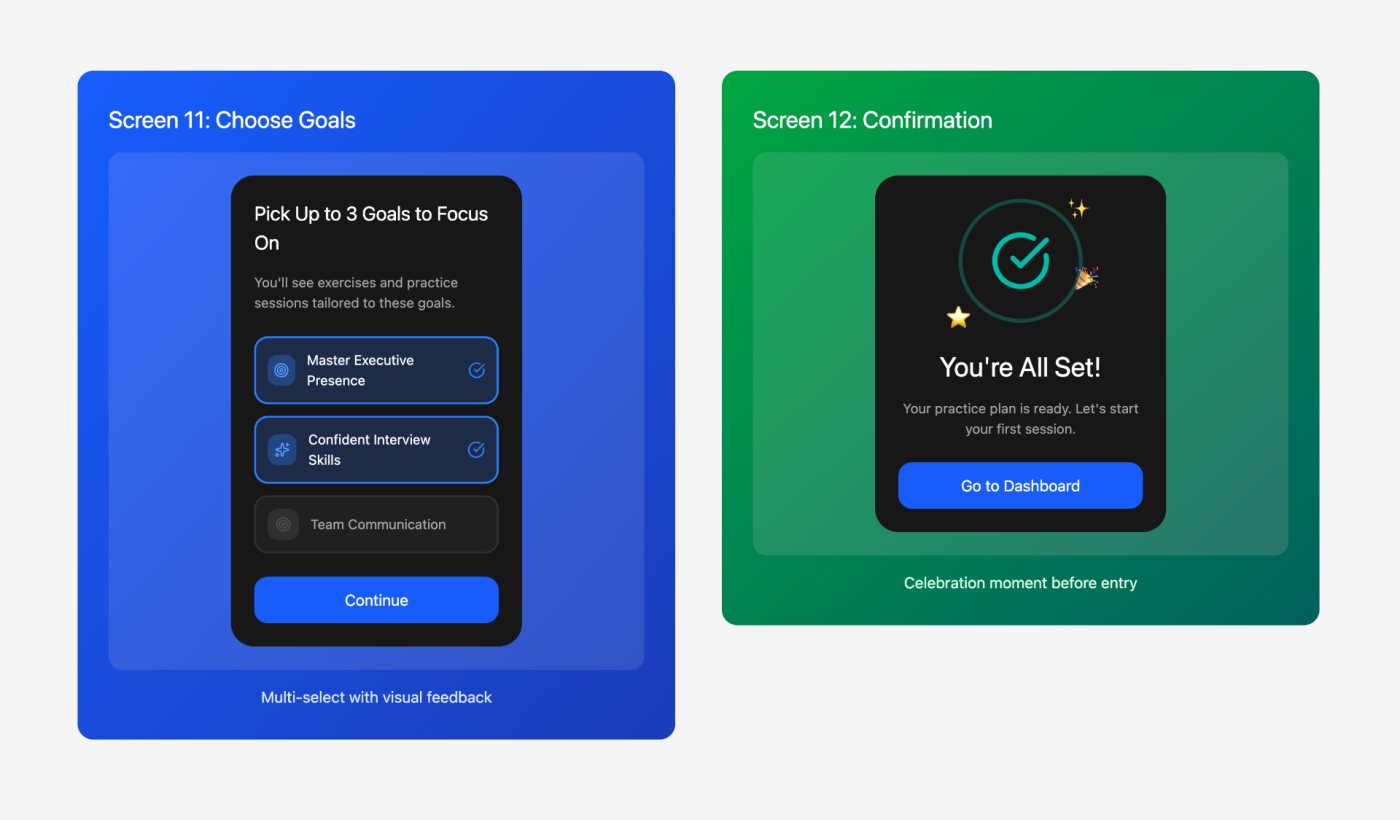
04Pick goalschoose up to three from the AI's suggestions
→
05First practicethen the full dashboard unlocks
The first-time journey after the redesign. Dashboard complexity only appears after the first session.
Discovery

Five problems underneath the screens

I started with a heuristic review of every journey from signup to a finished practice session, then a discovery call with the founder. Users loved the quality of the AI feedback but found navigation confusing, the XP and goals weren't landing emotionally, and first-time and returning users saw the same thing.

The copy was part of it. "Generate Recommendations" became "Get Started". An empty "0 XP / 10,000 XP to next level" became "Ready to earn your first XP?", pointing at the opportunity instead of the absence.

1
Onboarding clarityusers couldn't find the path to a first session
2
A fragmented AI flowthree states that felt like three apps
3
Dashboard structureno hierarchy, no clear next action
4
Component consistencybuttons, cards and spacing varied screen to screen
5
Microcopy tonetechnical where it needed to be motivating
The top five issues from the audit, in priority order.
The key decision

Making the AI feel like one coach

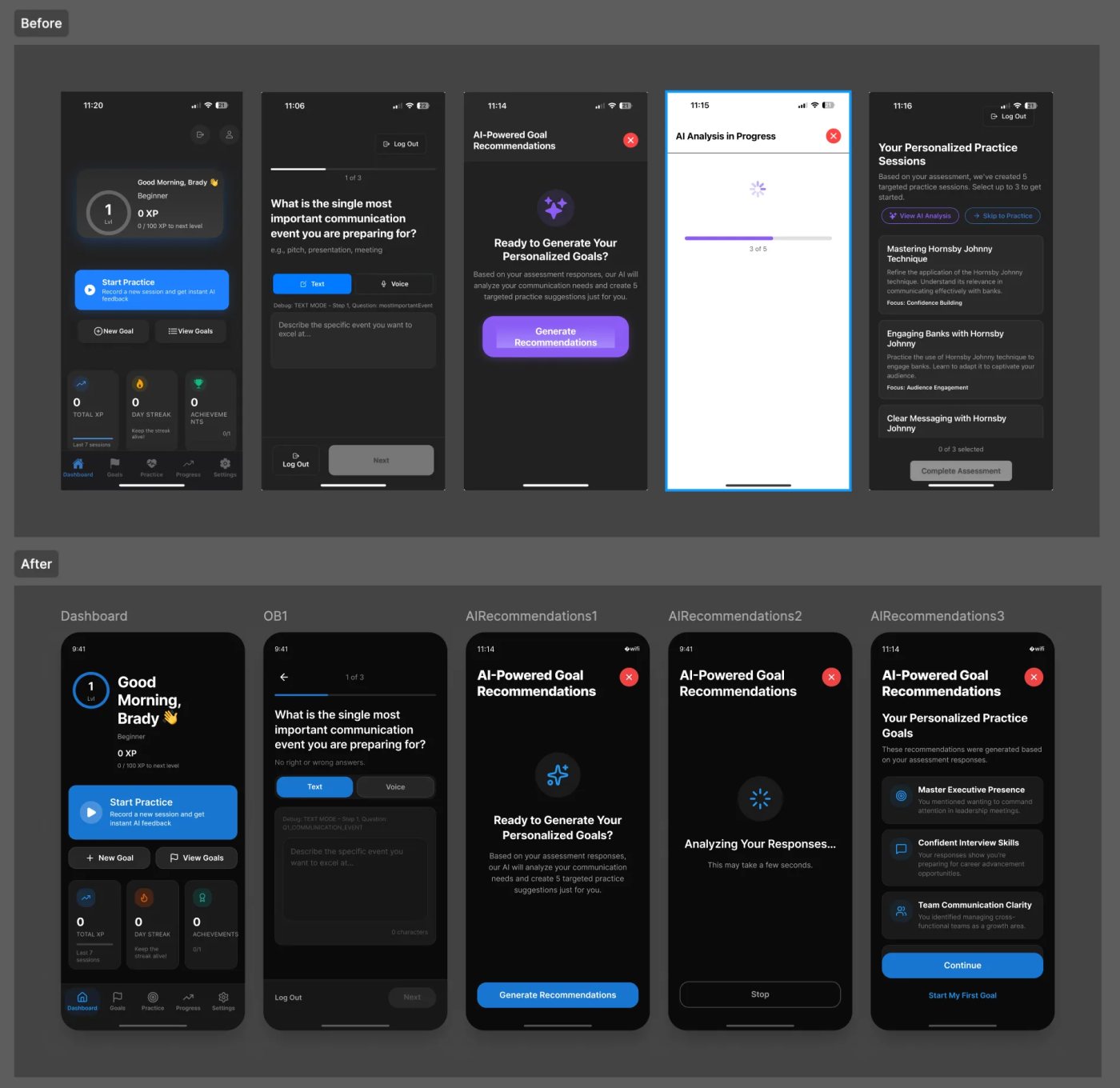
The AI recommendations are the product's core strength, but the flow was three separate screens: Generate, Processing, Results. Users couldn't tell what was happening or how long it would take. I explored three options. Keeping separate screens with better transitions still felt fragmented. Collapsing everything into one screen was better but flat.

The chosen option kept the three states inside one continuous container: a welcoming start, a progress state that says what's happening and that it may take a few seconds, then goals presented with context and a clear next step. Users stay in one place, and the AI reads as thoughtful rather than mechanical.

Before (top) and after (bottom): the welcome screen, the assessment and the AI recommendation states.
Delivery

The whole system on the table, then one fast fix

I built a dark-mode iOS component kit first, with colour, type and spacing tokens, then designed every flow on top of it so all 54 screens share one system. The core first-time journey went to the founder first, to agree on flow, tone and direction before showing everything. His reply: "This looks awesome. Everything seems aligned and I like the conversational copy."

Then the full set went over as one batch, with the component states documented. The founder spotted one missing piece, the progress section, which in the app only appears after a first session. It was added the same day: dashboard preview, detail view, achievements and streaks. The final version was approved, "especially the feedback from the analysis."

  1. Nov 25, 2024proposal approved, screen list agreed
  2. Nov 26component kit, then the core flows
  3. Nov 27core journey shown and approved
  4. Dec 2all 54 screens delivered, progress added, final approval
Three working sessions across Thanksgiving week.
Looking back

What I'd tell another designer

Pick the one moment the product can't afford to lose people, and make every screen serve it. For Capstone that was the first practice session.

And show the critical path before the whole set. Agreeing on direction early meant the full batch landed with one change instead of a round of surprises.